5 min read
Budgeting v3 is live. Your essentials and your lifestyle now live apart.
Article by
Carl Thompson · CEO and Co-founder of SortMe
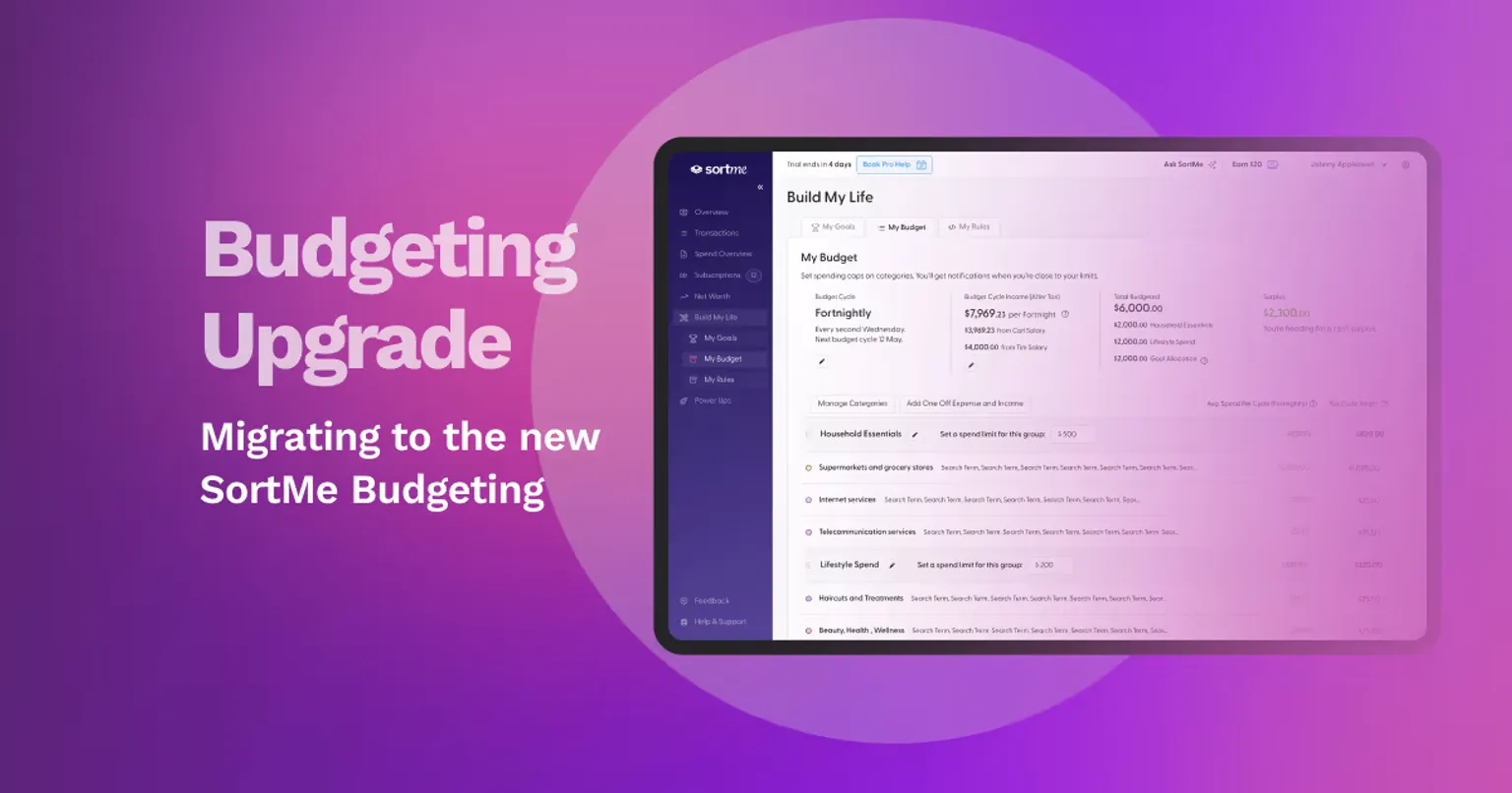
Budgeting every dollar sucks. It's also impossible.
Traditional budgeting asks you to pre-allocate amounts to categories that can change week to week. One week, you take leftovers to work, and lunch is free. Next week you're buying every day. One week the sun is out, and the kids are at the park; the next, the weather turns, and you're paying for the movies, ten-pin bowling, and a Sunday dinner. Setting "lunches: $80" or "kids' activities: $50" in January and expecting reality to obey is a fantasy. Budgeting every dollar this way doesn't reflect how a modern household runs.
That's why most people who download a regular budgeting app abandon it within three months. The system asks for forecasts that they can't meet, and they then have to manually reallocate funds within the budget. They quit, then feel worse about money than when they started.
We've taken a different approach.
Your household essentials are forecastable. Mortgage, rates, power, water, broadband. You already know what they cost. Setting a budget amount for those works because the numbers don't move too much.
Your lifestyle spending isn't forecastable, and that's the point. Lunches flex with leftovers. Kids' activities flex with the weather. Coffees flex with the day. So we stopped pretending category-by-category targets would hold. In v3, your lifestyle categories sit together in one group, and your reports follow the same split. You don't have to forecast a Tuesday lunch in January. You watch the lifestyle total, the categories tell you the story of where it went, and you adjust over time.
So we split them apart.
Budgeting v3 is a big update and has been shaped by your feedback. It's rolling out to every account right now.
Here's what changed.
How it works
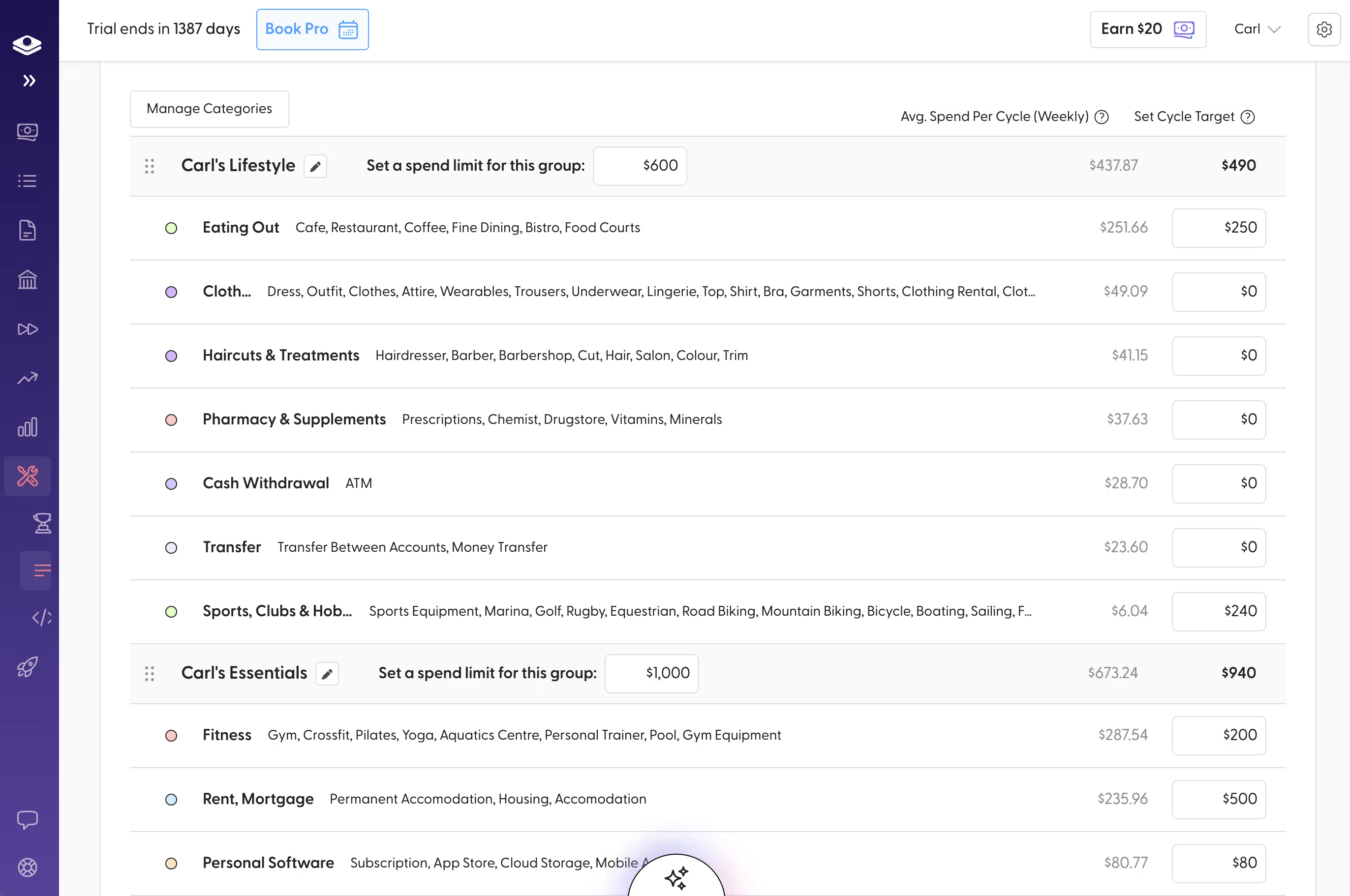
Categories in your budget can now sit inside a Category Group. Two ship by default, Household Essentials and Lifestyle Spending, and you decide where each category lands. Streaming subscription? Your call. Gym membership? Your call. The defaults are sensible; the final shape is yours.
Make the groups yours
The two default groups are a starting point, not a cage. Rename them. Add more. If your household runs cleaner with hobbies and sport tracked as their own group, build it. The reporting shape follows your group setup.
What the split is worth
The big shift is that you can now manage your lifestyle spending at the group level if you want to. Set a budget on Lifestyle Spending (say, $1,500 a month) and you've capped the total across every category inside it: eating out, takeaways, coffees, kids' activities, subscriptions, the lot. You stop worrying about whether lunch was $80 or $140 this week. You watch whether the group total is on track for the month.
The group budget is optional. Plenty of households will keep using category-level targets, or just watch the reporting without setting caps at all. The split works either way. What v3 adds is the option to manage at the right altitude for your household, whatever that is.
For people who do choose to cap at the group level, the maths is where it gets interesting. $400 a month held back from lifestyle and redirected at the rental mortgage, your KiwiSaver, or a fund is $4,800 a year. Across a five-year fixed-mortgage cycle, that's $24,000 reallocated to assets. The split is what makes that visible. The cap, if you set one, is what makes your budgeting stick.
What you need to do
Your existing categories have now been migrated to the new budgeting v3, automatically. Open SortMe and the change is visible immediately. The migration is done, it's now your turn to tune it to your needs.
Block ten minutes to:
- Confirm each category sits in the correct group.
- Add or rename groups if the default split doesn't match how you think about money.
- If you want a single cap on your lifestyle spending, set a budget on the group.
- Set or adjust individual category budgets if you prefer to track at the line level (or do both).
- Open your reports and review the new view.
That's it. The data does the rest.
Need a hand?
If you get stuck, or you'd like a walk-through with a real person, book time with Charlotte (our Chief Customer Officer) using the Book Pro Help button at the top of your SortMe account. For anything else, email support@sortme.com and the team will get back to you.
A note from me
This was a long time coming. The team and I have iterated on it more times than I can count, and we got it right because the feedback was specific. So thanks to everyone who added their feedback and insights. Keep telling us what's missing. That's how we improve.
Open SortMe and have a look. New to SortMe? Try it for $1 (7 days) and see your money the way your finances are structured: the costs you carry, and the spending you choose.