5 min read
Introducing Entity Management: your trust, your rental, your side business all in SortMe
Article by
Carl Thompson · CEO and Co-founder of SortMe
If you've got a trust, a rental or a side business, you know the March routine. Your accountant emails asking for the year's transactions, the rental statements, and "any receipts you've got." You lose a weekend exporting CSVs from three different banking logins and diving through the 100,000 emails trying to find receipts. Then a fortnight later comes the harder email: what was that $1,840 Bunnings charge in August for, the rental or the house? You honestly have no idea.
Entity Management fixes that. It lets you keep each of your entities as its own set of books inside SortMe, sitting right next to your personal money. A trust, a rental LTC, a company, a partnership, a sole trader: each one separate, all in one place. No untangling things at tax time. No second app. No spreadsheet.
TL;DR
- Track each trust, rental, company or partnership as its own set of books inside SortMe — alongside, not tangled up with, your personal money.
- Bind your bank accounts to an entity once; SortMe tags every transaction automatically and backfills your history, so the books are complete and you can finish the last EoFY.
- Get nudged for receipts on every business-sized spend ($500+) as you go — no March receipt scramble.
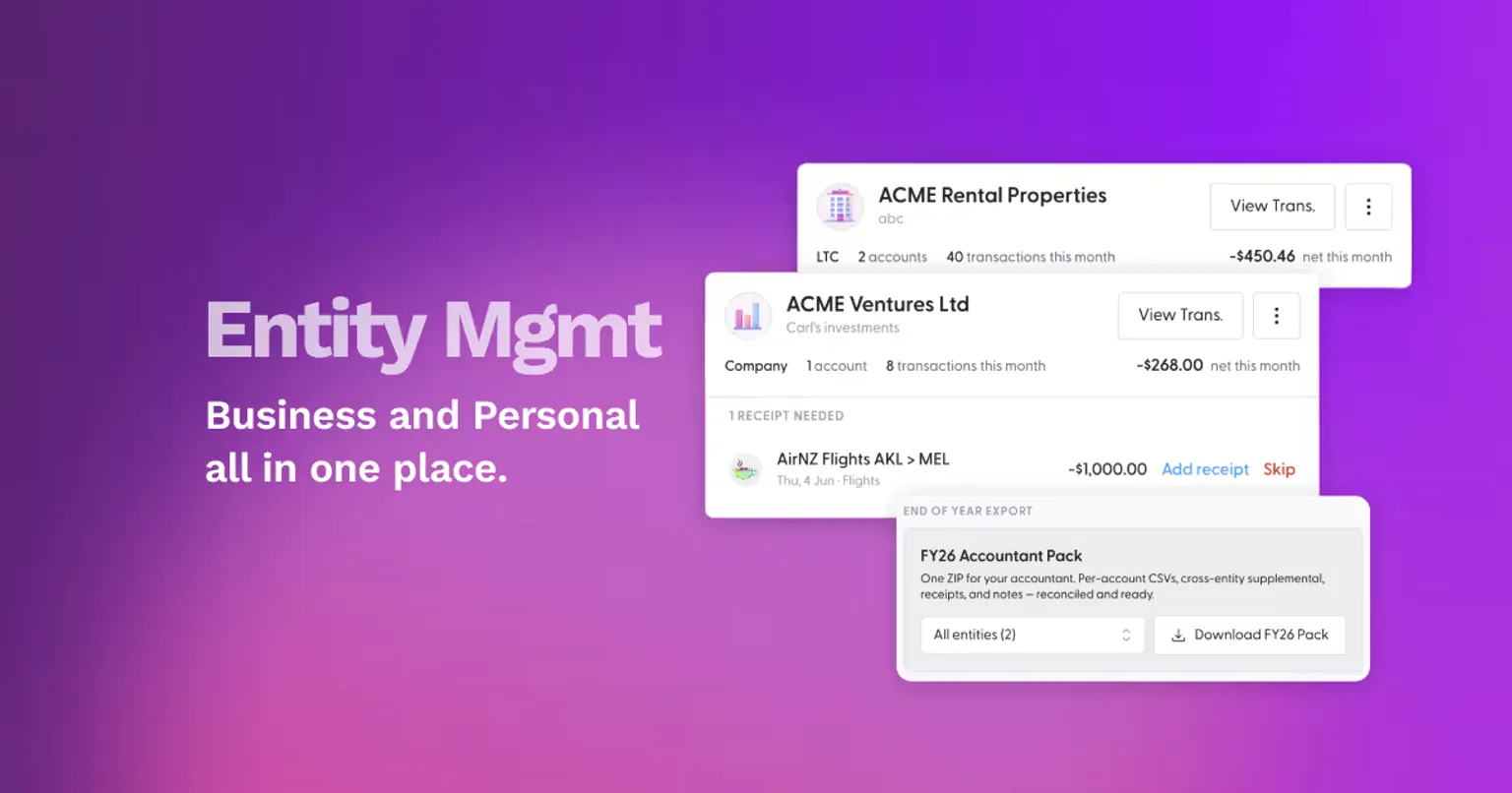
- The headline payoff: a one-click End-of-Year Accountant Pack — a single ZIP of per-account CSVs, receipts, notes and a cover page, all reconciled to your bank balance with discrepancies flagged. Everything your accountant needs in one go.
The one-click year-end pack your accountant can actually use
When the year is done, you pick an entity — or all of them — and download the End-of-Year Accountant Pack: a single ZIP containing per-account transaction CSVs, every attached receipt, your transaction notes, and a cover page. It's all reconciled to the bank balance, and if anything doesn't tie out, the discrepancies are flagged up front rather than discovered by your accountant three weeks later. The period runs from when you created the entity through your most recently completed financial year. You hand it straight over. That's the whole job.
Everything else in Entity Management exists to make that download clean and effortless when the time comes.
A feature we built because you kept asking for it
This one came from you. Our team has watched demand for it build for months.
Charlotte Barraclough, SortMe's Chief Customer Officer, says: "This is comfortably the most-requested thing I hear from our investor and small-business customers. People with a trust or a rental keep telling us the same story — they love SortMe for their personal money, but they've been forced to run a second app, or a spreadsheet, for the entity side. They've been waiting for us to close that gap, and now we have."
That gap is exactly where we think the opportunity sits.
Carl Thompson, CEO of SortMe, adds: "There's a real no-man's-land between personal finance apps and accounting software — and Kiwi households with a trust or a side business live right in it. Personal finance tools pretend your entities don't exist; accounting software is overkill for someone who just needs their books kept separate and tidy. As far as we can tell, no app on the market handles both personal and business in one place. Entity Management is us bridging that gap."
To be clear about scope: Entity Management is not full-blown accounting software, and it's not trying to be. It's the bridge between keeping your personal finances on top of things and being genuinely ready for your accountant — without the double-entry overhead.
How it works
Getting set up takes a few minutes, and the system does the ongoing work.
Create an entity. Give it a name, pick a type (Trust, Company, LTC, Partnership, Sole Trader or Other), add a description and an avatar, and set its financial year-end — it defaults to the NZ-standard 31 March.
Bind your accounts. Assign the bank accounts that belong to that entity. SortMe tags every transaction on those accounts automatically and backfills your history retroactively (with a live progress bar), so the entity's books are complete from day one — not just going forward. Need an exception? Re-assign any single transaction as a one-off override.
Stay receipt-ready year-round. For every business-sized outflow ($500+) without a receipt, SortMe surfaces a prompt right on the entity's card. Snap or attach it as you go, instead of reconstructing twelve months of paperwork in March.
See each entity at a glance. Every entity gets a card showing its accounts, this month's transaction count, net in and out, and any outstanding receipt prompts. One click deep-links to that entity's transactions, with personal spend excluded.
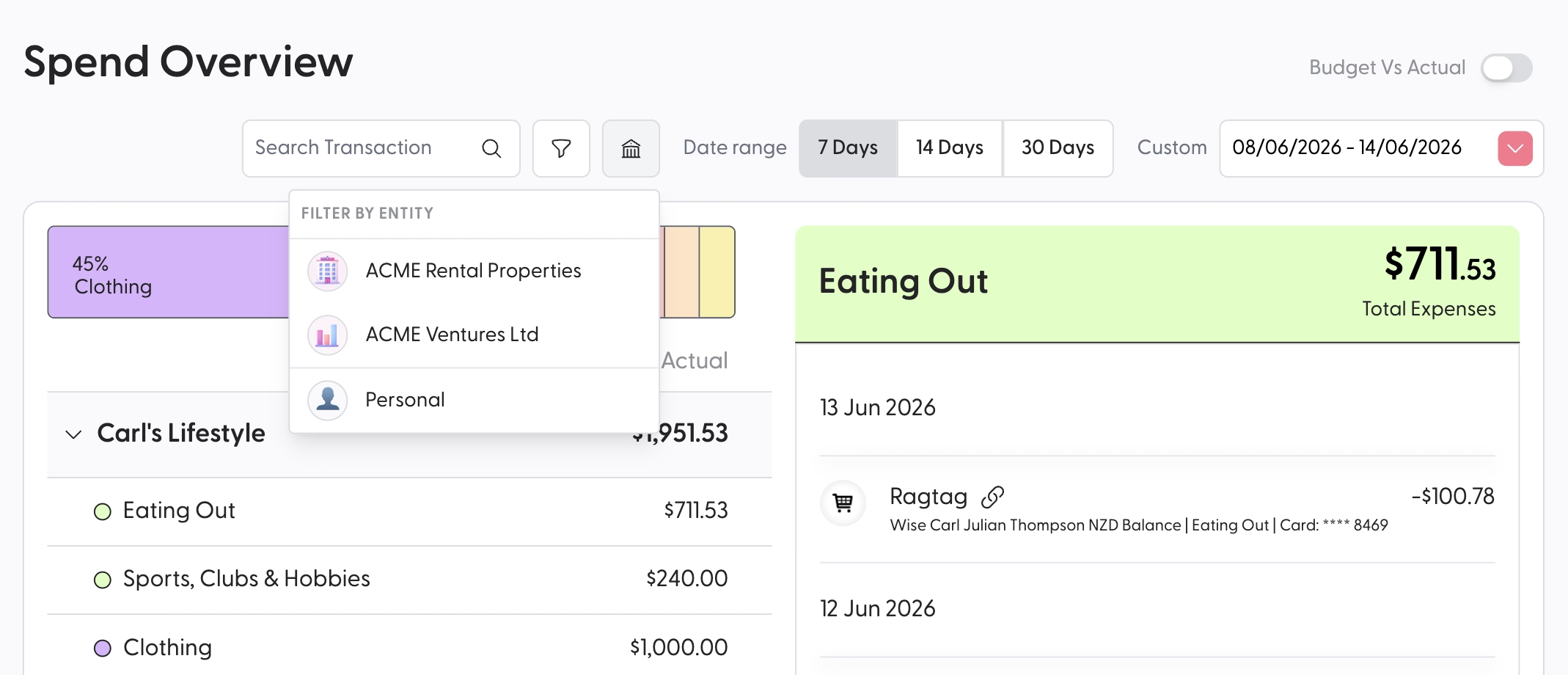
Filter your whole app by entity. Your transactions and reports gain an entity filter. Toggle "Personal" for true personal-only, or pick specific entities — they're independent toggles, and by default nothing's filtered, so you still see your whole picture.
Getting started
If your household is more than just "a person with a bank account" — a trust, a rental, a side business — this is built for you. Entity Management is available now on SortMe Pro, so you can set up your first entity today and let SortMe backfill the rest.