It's payday, Friday. $6,400 has just landed in your current account. Some of it pays the mortgage on Monday, some of it covers the kids' fees on the 15th, some of it should probably go to the holiday fund, and some of it is going to disappear into Friday night beers and a Bunnings run before Sunday. You know roughly where it's all meant to go. You just haven't seen the whole picture in one place for about six months.
That's the job a personal finance app is meant to do for you. Show you the whole picture. Not a spreadsheet you keep forgetting to update. Not five bank apps you have to flick between. One view, all your money, current.
The trouble is that "personal finance app" means very different things to different teams that build them. Some are budgeting tools (set a number, track against it). Some are net-worth dashboards (assets and liabilities, no day-to-day). Some are envelope systems (allocate every dollar before you spend it). And almost all of them were built for an American user with one chequing account, one savings account, and a credit card — not a Kiwi household with three banks, a KiwiSaver across two providers, a rental, and an offset on the mortgage.
We've put together this guide because Kiwis kept asking us the same question after Mint shut down in 2024: what should I use now? The honest answer takes more than five minutes, because it depends on what you're trying to do. So we've reviewed the six options most often shortlisted by New Zealand households in 2026 — including our own — and laid out where each one fits.
TL;DR
Two quick picks first:
- For most NZ households, the answer is SortMe — every major NZ bank, KiwiSaver included, AI categorisation, $1 for a 7-day trial.
- For Kiwis who like a spreadsheet, look at PocketSmith — Dunedin-built since 2008, the best forecasting in the category, steepest learning curve to match.
See the full comparison table below.
The rest of the field: YNAB is the strongest budgeting methodology going, but there's no NZ bank sync and you'll pay in USD. MyBudgetPal is the right place to start if it's your first budget app and you don't want to spend money on the privilege — backed by Booster, free, basic. Spendee looks nice on the phone but its NZ bank connections are flaky. Goodbudget is YNAB without the bank sync, deliberately.
And if you have a trust or rental, avoid every consumer-only app in this list — entity separation isn't something they'll handle.
What "best" really means in 2026
Three things have changed in the last two years that shifted what a good app looks like for Kiwis.
Open banking has finally arrived. Most of the big NZ banks now expose transaction data through the consumer data right rails, which means an app can pull in your spending without you uploading a CSV every month. The downside is that the rollout is uneven — bank-issued KiwiSavers, for instance, mostly aren't on the API yet, so apps that work today are the ones that have done the integration work for each NZ bank individually.
Mint is gone. Intuit shut down Mint in March 2024. About 25 million users — including a few thousand Kiwis who'd hung on — had to find something else. Most of them moved to Rocket Money, Monarch, or just stopped using an app altogether. None of those moves are particularly satisfying for a NZ user.
AI is finally good enough to categorise transactions automatically. The old generation of apps required you to tag every transaction yourself or accept ugly defaults like "FOODGROC" and "RESTRNT-AKL-2147". 2026 apps that get this right ought to land 90%+ accuracy without you lifting a finger.
Carl Thompson, CEO of SortMe, puts it this way: "The NZ household money problem isn't budgeting in the abstract — it's that nobody's offered Kiwis a tool that handles the shape of how money really moves in this country: across three banks, a KiwiSaver, and a property, with someone you share life with. That gap is what the last two years have started to close."
That sets the bar. The apps below are scored against four criteria: NZ bank coverage, automation quality, the price you'll pay in NZD, and whether the app handles realistic Kiwi complexity (multi-bank, KiwiSaver, property, shared household view).
The shortlist
1. SortMe — the modern budgeting app, built in NZ
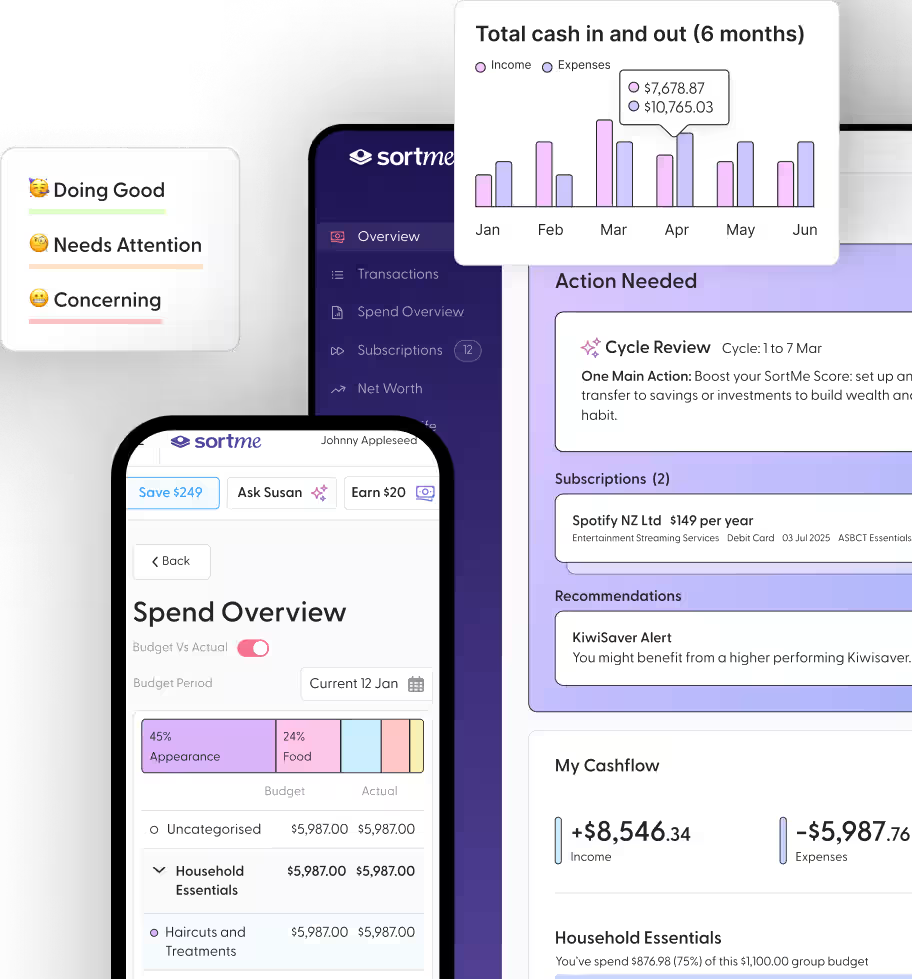
We make SortMe, so take this section with whatever pinch of salt you want. The reason it leads the list is that it's the only one of the apps in this guide that was designed for the actual shape of NZ household finances: more than one bank, KiwiSaver as a real account not a side note, property value as a tracked asset, and a household view that delivers AI-powered insights and recommendations.
On bank coverage: every major NZ bank plus most of the smaller ones, via open banking where it's available and via secure data feeds where it isn't. All the major KiwiSaver providers are in — Booster, Kernel, Sharesies, Milford — though bank-issued KiwiSavers still need adding manually because the banks haven't put them on the open-banking API yet.
Net worth lives in the same view as your spending, so you can see a live view of your progress.
AI categorisation auto-sorts about 98% of transactions, and the exceptions you correct once — the system picks up your household's pattern from there.
The subscription audit feature has, on average, found Kiwi users $2,371 a year in subscriptions they'd forgotten about. Last week a user surfaced a $79/month Adobe subscription they hadn't used since 2022.
Each person in the household has their own login so everyone can manage, make notes, and add receipts to transactions.
Pricing: $1 for the first 7 days, then a monthly plan. Cancel anytime. Money back guarantee: 'Find $1,000 worth of savings in your first 30 days, or your money back'
Charlotte Barraclough, Chief Customer Officer at SortMe, says: "The single most common thing we hear from new SortMe users in their first week is 'I had no idea we were spending that much on X.' Sometimes X is subscriptions, sometimes it's eating out, sometimes it's a category they didn't know they had. That's the work of automatic categorisation — surfacing a number they couldn't put together from five bank apps."
Choose SortMe if: You're a modern Kiwi Household that wants flexible money oversight without strict budgeting.
2. PocketSmith — the NZ veteran for the data-curious
Dunedin-built, running since 2008, and a household name for Kiwis who love a spreadsheet. PocketSmith's strength is forecasting — you can model future cash flow out 10 years, run "what if I overpay the mortgage by $200/wk" scenarios, and build category breakdowns at almost any level of detail. Designed for the "home accountant" with complexity beyond the needs of most Kiwi households.
NZ bank coverage is strong, comparable to SortMe. Forecasting is the best in the category, full stop. The learning curve is the steepest in this list — you'll spend an evening setting it up. Categorisation is rule-based: you write the rules, which is powerful but more work. KiwiSaver and property are manual additions. Pricing runs NZD $14.99/mo on Premium up to NZD $24.99/mo on Super, with a limited free tier.
Choose PocketSmith if you enjoy building your own dashboard and you want forecasting as the headline feature. Skip it if you don't have a Sunday afternoon to spend on setup.
3. YNAB (You Need A Budget) — the envelope methodology
YNAB is a methodology first and an app second. The methodology is sound: give every dollar a job before you spend it, age your money so you're not living paycheck to paycheck, roll with the punches when categories blow out. Done properly, it changes behaviour.
There's no direct NZ bank feeds, so you'll be uploading CSVs. The methodology is the strongest in this list — there's a reason the community is so loyal. The iOS and Android apps are well built. KiwiSaver and property aren't supported. Pricing runs USD $14.99/mo or USD $109/yr — roughly NZD $24/mo or NZD $175/yr at current exchange.
Choose YNAB if you're a methodology nerd, the envelope system speaks to you, and you don't mind a manual CSV upload each week. Skip it if you want NZ bank sync or anything beyond budgeting.
4. MyBudgetPal — free, NZ-built, simple
Backed by Booster, this is the simplest and most basic of budget tools on the list. Free. Designed for people who haven't kept a budget before and don't want to spend money on the privilege of starting. A little undercooked if you're serious about managing your personal finances.
Bank coverage covers the key NZ banks via Booster's data partnerships. Features are basic — categories, budgets, spending reports. No forecasting, no net worth, no goals, no entity separation. Free (it's built to promote Booster's KiwiSaver).
Choose MyBudgetPal if you're on a tight income, you've never used a budget app before, and the goal is just to get started. Upgrade when you outgrow it.
5. Spendee — simple interface, limited NZ depth
Spendee looks clean. It's the app most likely to make your finances feel like a calm Pinterest board. Where it falls down is depth — bank connections in NZ are flaky, KiwiSaver doesn't exist as a concept inside it, and the household view is light. Pricing runs around NZD $5.50/mo on Plus or NZD $9/mo on Premium.
Choose Spendee if visual design matters more to you than data depth, and your finances are simple enough that bank sync isn't critical.
6. Goodbudget — envelope-style, no bank sync
Goodbudget makes you type every transaction in by hand. No bank sync — none, anywhere. The team thinks that friction is the point, and their own retention data backs it up: users who type each transaction stick with budgeting noticeably longer than users who let an app do it for them.
Shared household access is clean, multi-device. Pricing is free for a starter plan or USD $10/mo for Plus.
Choose Goodbudget if the manual-entry friction is, for you, a feature rather than a bug — some people genuinely budget better when they have to type each transaction in.
At-a-glance comparison
How to choose
Most Kiwi households have accounts at two or three banks. If yours doesn't, YNAB or Goodbudget work fine — manual entry stops being a problem when there's only one account to enter. If it does, you'll want bank sync, which rules them both out.
The KiwiSaver question is the next sort. A meaningful slice of your net worth sits there, but it's invisible to most budgeting apps. SortMe treats it as a real account; PocketSmith lets you add it manually if you're prepared to update balances yourself. Every other app in this guide ignores it.
Then there's the partner question. Picture two scenarios. In the first, you log into a budgeting app together — one account, one password. Within a month, one of you is fielding questions about a $54 charge at Smith & Caughey's that you'd rather not explain. In the second, you each log in separately to the same app, see your own transactions privately, and share only the household-level totals. Both KiwiSavers visible; neither personal coffee. The second pattern holds up over years. The first burns out.
That leaves the practical pick. SortMe or PocketSmith for households with the bank-and-KiwiSaver complexity. PocketSmith if you'll spend an evening setting it up and you want the forecasting depth on tap. SortMe if you'd rather the app do the categorisation and household rollup for you and get on with the rest of your week. For households without that complexity — single bank, no KiwiSaver focus, no partner — MyBudgetPal is the right place to start, and you upgrade when the budget outgrows it.
What about Sorted, MoneyHub, and IRD tools?
Worth saying out loud: Sorted.org.nz is a public good. It's run by the Retirement Commission, it's free, and the budgeting calculator there is the right starting point for anyone learning the basics of personal finance. It is not a personal finance app in the sense the rest of this guide uses the word — there's no bank sync, no live picture of where you are this week. Use Sorted alongside a real app, not instead of one. They do have great calculators and educational articles.
MoneyHub is a comparison and review site, not an app. Excellent for choosing a KiwiSaver fund or a credit card. Not relevant here.
IRD's MyIR is for tax. It will tell you what you've paid in PAYE and GST and how much you owe; it won't help you decide whether to put $200 more into the holiday fund this month.
FAQ
Is there a difference between a "budgeting app" and a "budgeting application"?
No practical difference. Some Kiwis search one phrase, some the other. They mean the same software category — an app that helps you track income, set spending limits, and see where your money goes. We've used both terms in this guide.
What's the best free budgeting app in NZ?
For most people, MyBudgetPal — it's free, NZ-built, and covers the basics. Goodbudget's free tier is also fine if you don't mind manual entry. If you want bank sync and AI categorisation for free, that doesn't really exist in NZ in 2026.
Can I keep using Mint in New Zealand?
No. Intuit shut Mint down on 23 March 2024. Existing accounts no longer work. If you used Mint, the closest replacement for a NZ user is SortMe; the closest US alternatives (Rocket Money, Monarch) have no NZ bank coverage.
Are budgeting apps safe?
The reputable ones use bank-level encryption and connect via official APIs (open banking) where available. Reading transaction data is one-way — apps can see your transactions, they cannot move money. The fewer apps you connect, the smaller your exposure; pick one and connect it properly rather than trialing five.
What's the best budgeting app for couples in NZ?
SortMe is built for this pattern (each person logs in separately, shared household view). YNAB and Goodbudget work too if you don't need bank sync. Avoid any setup where you share one login — long-term it becomes a friction point.
Do these apps work with KiwiSaver?
SortMe is the only one in this guide that treats KiwiSaver as a first-class account with live balances from major providers. PocketSmith supports KiwiSaver as a manually-tracked investment.
How much should a budgeting app cost?
The realistic range in 2026 is free to about NZD $25/mo. Anything more than that needs to be doing forecasting, multi-entity, or business-grade work. For a household, NZD $10–$15/mo is the sweet spot.
Try SortMe — $1 for the first week
The average Kiwi household signing up to SortMe finds three forgotten subscriptions in the first 24 hours, two of which have been cancelled by the time the second coffee is finished. That's the kind of week a budgeting app can save you on day one. Connect your banks, run the audit, see what falls out.