Updated 14 min read
The best NZ personal finance apps in 2026

Article by
Hugo Jonston · Resident Money Writer
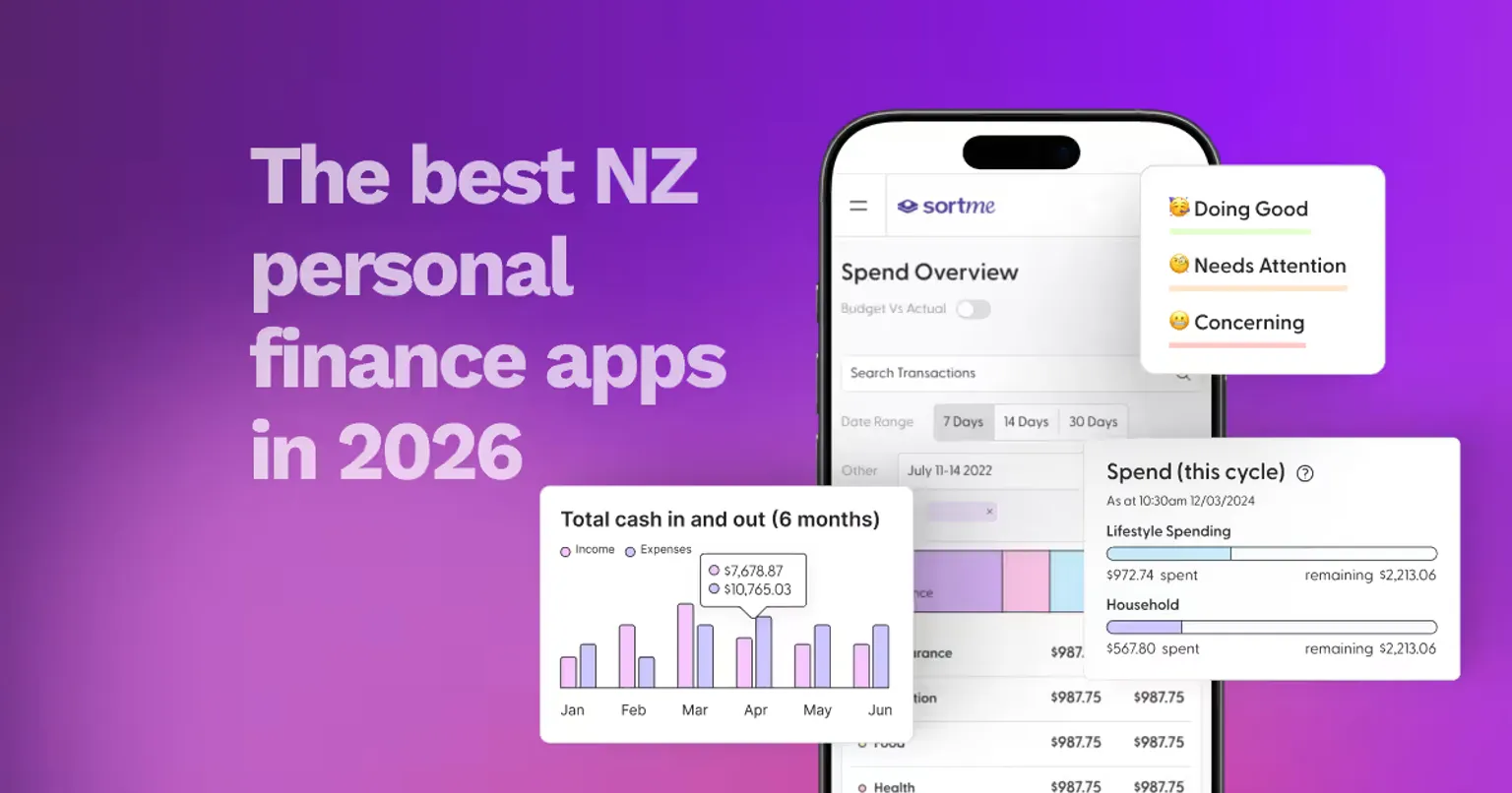
Of the six personal finance apps New Zealand households most often shortlist in 2026, two connect to every major NZ bank and show your net worth beside your spending: SortMe and PocketSmith.
SortMe is our pick for most households, because it categorises your transactions for you and gives each person their own login to one household view. It costs $29 a month or $99 a year, after a trial that is $1 for 7 days. PocketSmith is the better choice if you enjoy building your own forecasts and have an evening to spend setting it up.
The other four were mostly built for an American with one chequing account, one savings account and a credit card. A Kiwi household with three banks, two KiwiSavers, a rental and an offset mortgage asks a good deal more of an app than that.
We make SortMe, so read our own entry with that in mind. Kiwis have been asking us what to use since Mint shut down in March 2024, and this guide puts all six through the same four tests so you can check our working. One of those tests takes two of the six off the list for any household with more than one bank, and it is the first thing covered under "How to choose".
The trouble is that "personal finance app" means very different things to different teams that build them. Some are budgeting tools (set a number, track against it). Some are net-worth dashboards (assets and liabilities, no day-to-day). Some are envelope systems (allocate every dollar before you spend it).
The rest of the field: YNAB is the strongest budgeting methodology going, but there's no NZ bank sync and you'll pay in USD. MyBudgetPal is the right place to start if it's your first budget app and you don't want to spend money on the privilege — backed by Booster, free, basic. Spendee looks nice on the phone but its NZ bank connections are flaky. Goodbudget is YNAB without the bank sync, deliberately.
If you have a trust or a rental, check the Entity mgmt column in the table first, because SortMe is the only app here that keeps an entity's books separate from your own.
What "best" really means in 2026
Three things have changed in the last two years that shifted what a good app looks like for Kiwis.
Open banking has finally arrived. Most of the big NZ banks now expose transaction data through the consumer data right rails, which means an app can pull in your spending without you uploading a CSV every month. The rollout is uneven, and bank-issued KiwiSavers mostly aren't on the API yet, so what separates the apps that work today is whether they connect through a provider that has already done that work across the NZ banks.
Mint is gone. Intuit shut down Mint in March 2024. About 25 million users — including a few thousand Kiwis who'd hung on — had to find something else. Most of them moved to Rocket Money, Monarch, or just stopped using an app altogether. None of those moves are particularly satisfying for a NZ user.
AI is finally good enough to categorise transactions automatically. The old generation of apps required you to tag every transaction yourself or accept ugly defaults like "FOODGROC" and "RESTRNT-AKL-2147". 2026 apps that get this right ought to land 90%+ accuracy without you lifting a finger.
Carl Thompson, CEO of SortMe, puts it this way: "The NZ household money problem isn't budgeting in the abstract — it's that nobody's offered Kiwis a tool that handles the shape of how money really moves in this country: across three banks, a KiwiSaver, and a property, with someone you share life with. That gap is what the last two years have started to close."
That sets the bar. The apps below are scored against four criteria: NZ bank coverage, automation quality, the price you'll pay in NZD, and whether the app handles realistic Kiwi complexity (multi-bank, KiwiSaver, property, shared household view).
The shortlist
1. SortMe — the modern budgeting app, built in NZ
We make SortMe, so take this section with whatever pinch of salt you want. The reason it leads the list is that it's the only one of the apps in this guide that was designed for the actual shape of NZ household finances: more than one bank, KiwiSaver as a real account not a side note, property value as a tracked asset, and a household view that delivers AI-powered insights and recommendations.
On bank coverage: every major NZ bank plus most of the smaller ones. Every connection runs through Akahu, New Zealand's open-banking provider, which uses the banks' open banking APIs where they exist and secure data feeds where they don't, so SortMe never sees your banking credentials. All the major KiwiSaver providers are in — Booster, Kernel, Sharesies, Milford — though bank-issued KiwiSavers still need adding manually because the banks haven't put them on the open-banking API yet.
Net worth lives in the same view as your spending, so you can see a live view of your progress.
AI categorisation auto-sorts about 94% of transactions, and the exceptions you correct once — the system picks up your household's pattern from there.
The subscription audit feature has, on average, found Kiwi users $2,371 a year in subscriptions they'd forgotten about. One user found a $79-a-month Adobe subscription they hadn't used since 2022.
Each person in the household has their own login so everyone can manage, make notes, and add receipts to transactions.
Pricing: $1 for 7 days, then $29 a month or $99 a year. Cancel anytime, with a 30-day money-back guarantee.
Charlotte Barraclough, Chief Customer Officer at SortMe, says: "The single most common thing we hear from new SortMe users in their first week is 'I had no idea we were spending that much on X.' Sometimes X is subscriptions, sometimes it's eating out, sometimes it's a category they didn't know they had. That's the work of automatic categorisation — surfacing a number they couldn't put together from five bank apps."
Choose SortMe if: You're a modern Kiwi Household that wants flexible money oversight without strict budgeting.
2. PocketSmith — the NZ veteran for the data-curious
Dunedin-built, running since 2008, and a household name for Kiwis who love a spreadsheet. PocketSmith's strength is forecasting: you can project your cash flow 10 years ahead on the entry plan and up to 60 years on the top one, run "what if I overpay the mortgage by $200/wk" scenarios, and build category breakdowns at almost any level of detail. Designed for the "home accountant" with complexity beyond the needs of most Kiwi households.
NZ bank coverage is strong, comparable to SortMe. Forecasting is the best in the category, full stop. The learning curve is the steepest in this list — you'll spend an evening setting it up. Categorisation is rule-based: you write the rules, which is powerful but more work. Property is a manual addition, and KiwiSaver depends on the feed: PocketSmith's help centre says KiwiSaver and managed fund accounts can't yet be shared through the banks' open banking feeds, so check yours before you count on it. As at November 2026 its plans page lists Foundation at NZD $14.95 a month, Flourish at $24.95 and Fortune at $39.95, each about a third cheaper billed annually. Foundation connects up to six banks, and the Free plan has no bank feeds and is limited to two accounts.
Choose PocketSmith if you enjoy building your own dashboard and you want forecasting as the headline feature. Skip it if you don't have a Sunday afternoon to spend on setup.
3. YNAB (You Need A Budget) — the envelope methodology
YNAB is a methodology first and an app second. The methodology is sound: give every dollar a job before you spend it, age your money so you're not living paycheck to paycheck, roll with the punches when categories blow out. Done properly, it changes behaviour.
There's no direct NZ bank feeds, so you'll be uploading CSVs. The methodology is the strongest in this list — there's a reason the community is so loyal. The iOS and Android apps are well built. KiwiSaver and property aren't supported. Pricing runs USD $14.99/mo or USD $109/yr — roughly NZD $24/mo or NZD $175/yr at current exchange.
Choose YNAB if you're a methodology nerd, the envelope system speaks to you, and you don't mind a manual CSV upload each week. Skip it if you want NZ bank sync or anything beyond budgeting.
4. MyBudgetPal — free, NZ-built, simple
Backed by Booster, this is the simplest and most basic of budget tools on the list. Free. Designed for people who haven't kept a budget before and don't want to spend money on the privilege of starting. A little undercooked if you're serious about managing your personal finances.
Bank coverage covers the key NZ banks via Booster's data partnerships. Features are basic — categories, budgets, spending reports. No forecasting, no net worth, no goals, no entity separation. Free (it's built to promote Booster's KiwiSaver).
Choose MyBudgetPal if you're on a tight income, you've never used a budget app before, and the goal is just to get started. Upgrade when you outgrow it.
5. Spendee — simple interface, limited NZ depth
Spendee looks clean. It's the app most likely to make your finances feel like a calm Pinterest board. Where it falls down is depth — bank connections in NZ are flaky, KiwiSaver doesn't exist as a concept inside it, and the household view is light. Pricing runs around NZD $5.50/mo on Plus or NZD $9/mo on Premium.
Choose Spendee if visual design matters more to you than data depth, and your finances are simple enough that bank sync isn't critical.
Our Spendee alternatives comparison covers it in detail.
6. Goodbudget — envelope-style, no bank sync
Goodbudget makes you type every transaction in by hand. No bank sync — none, anywhere. The team thinks that friction is the point, and their own retention data backs it up: users who type each transaction stick with budgeting noticeably longer than users who let an app do it for them.
Shared household access is clean, multi-device. Pricing is free for a starter plan or USD $10/mo for Plus.
Choose Goodbudget if the manual-entry friction is, for you, a feature rather than a bug — some people genuinely budget better when they have to type each transaction in.
At-a-glance comparison
At-a-glance comparison
Six personal finance apps Kiwi households commonly shortlist in 2026.
| App | NZ bank sync | KiwiSaver | Property / net worth | Shared household | AI categorisation | AI-powered recommendations | Entity mgmt | Price (NZD/mo) |
|---|---|---|---|---|---|---|---|---|
| ⭐ SortMe | All major NZ banks | All major providers | Yes | Yes | Yes (~94%) | Yes | Yes | $29, or $99/yr |
| PocketSmith | Strong | Depends on the feed | Yes | Yes | Rule-based | No | No | $14.95–$39.95 |
| YNAB | None (CSV) | No | No | Yes | No | No | No | ~$24 (USD billed) |
| MyBudgetPal | Key banks | No | No | Limited | Limited | No | No | Free |
| Spendee | Patchy | No | No | Limited | Limited | No | $5.50–$9 | |
| Goodbudget | None (manual) | No | No | Yes | No | No | Free–$16 (USD billed) |
How to choose
Most Kiwi households have accounts at two or three banks. If yours doesn't, YNAB or Goodbudget work fine — manual entry stops being a problem when there's only one account to enter. If it does, you'll want bank sync, which rules them both out.
The KiwiSaver question is the next sort. A meaningful slice of your net worth sits there, but it's invisible to most budgeting apps. SortMe treats it as a real account; PocketSmith shows it where the bank feed supports it and lets you add it by hand where it doesn't. Every other app in this guide ignores it.
Then there's the partner question. Picture two scenarios. In the first, you log into a budgeting app together — one account, one password. Within a month, one of you is fielding questions about a $54 charge at Smith & Caughey's that you'd rather not explain. In the second, you each log in separately to the same app, see your own transactions privately, and share only the household-level totals. Both KiwiSavers visible; neither personal coffee. The second pattern holds up over years. The first burns out.
That leaves the practical pick. SortMe or PocketSmith for households with the bank-and-KiwiSaver complexity. PocketSmith if you'll spend an evening setting it up and you want the forecasting depth on tap. SortMe if you'd rather the app do the categorisation and household rollup for you and get on with the rest of your week. For households without that complexity — single bank, no KiwiSaver focus, no partner — MyBudgetPal is the right place to start, and you upgrade when the budget outgrows it.
What about Sorted, MoneyHub, and IRD tools?
Worth saying out loud: Sorted.org.nz is a public good. It's run by the Retirement Commission, it's free, and the budgeting calculator there is the right starting point for anyone learning the basics of personal finance. It is not a personal finance app in the sense the rest of this guide uses the word — there's no bank sync, no live picture of where you are this week. Use Sorted alongside a real app, not instead of one. They do have great calculators and educational articles.
MoneyHub is a comparison and review site, not an app. Excellent for choosing a KiwiSaver fund or a credit card. Not relevant here.
IRD's MyIR is for tax. It will tell you what you've paid in PAYE and GST and how much you owe; it won't help you decide whether to put $200 more into the holiday fund this month.
FAQ
What is the best personal finance app in New Zealand?
For a household with more than one bank, a KiwiSaver and a mortgage, our pick is SortMe, and we make it, so weigh that accordingly. It connects to every major NZ bank through Akahu, categorises transactions automatically and shows your net worth beside your spending. PocketSmith is the stronger choice if long-range forecasting matters more to you than automation.
Which budgeting apps connect to New Zealand banks?
SortMe and PocketSmith both cover the major NZ banks, and MyBudgetPal covers the main ones. Spendee's NZ connections are unreliable, and YNAB and Goodbudget have no NZ bank feeds at all, so you upload a CSV or type each transaction in yourself.
What is the best free budgeting app in NZ?
MyBudgetPal is free, made in New Zealand and covers the basics, and Goodbudget's free plan works if you are happy to enter each transaction by hand. No app in New Zealand in 2026 gives you full bank sync and AI categorisation without a subscription.
How much does SortMe cost?
SortMe Boost is $29 a month, $99 a year or $149 for two years. SortMe Pro, which adds separate books for a trust, a rental or a side business, is $49 a month, $299 a year or $399 for two years. Both start with a trial that is $1 for 7 days and come with a 30-day money-back guarantee.
Can I still use Mint in New Zealand?
Mint no longer works anywhere, because Intuit shut it down on 23 March 2024. The US apps most Mint users moved to, Rocket Money and Monarch, have no NZ bank coverage, so a New Zealand household needs an app with NZ bank feeds.
Is it safe to connect a budgeting app to my bank?
A reputable app is given read-only access, which means it can see your balances and transactions and cannot move your money. Every SortMe connection runs through Akahu, so you sign in with your bank and SortMe never sees your banking password. Connecting one app properly exposes less of your data than trialling five.
What is the best budgeting app for couples in NZ?
SortMe gives each person their own login to one shared household view, which is the arrangement that tends to last. YNAB and Goodbudget also share well between two people if you don't need bank sync. Sharing a single login is the setup to avoid, because every purchase becomes something the other person can ask about.
Do budgeting apps work with KiwiSaver?
SortMe shows KiwiSaver balances from the major providers beside your bank accounts. What comes through is the balance, without individual transactions, and a KiwiSaver held with a bank has to be added by hand for now. YNAB, MyBudgetPal, Spendee and Goodbudget leave KiwiSaver out.
How much should a budgeting app cost?
The apps in this guide run from free to about NZD $40 a month, and most cost much less paid annually: SortMe is $99 a year, which is about $1.90 a week. The fairer test is what the app finds, and the average SortMe user finds $2,371 in savings.
Try SortMe — $1 for the first week
The average Kiwi household signing up to SortMe finds three forgotten subscriptions in the first 24 hours, two of which have been cancelled by the time the second coffee is finished. That's the kind of week a budgeting app can save you on day one. Connect your banks, run the audit, see what falls out.